 Log in with MinistryID
Ready for Weekend Services?
Planning worship is not easy, but there is a better way – worshipplanning.com
Chances are you already have a process for planning your services. worshipplanning.com adds some power to your process, helping you organize and communicate better while allowing you to focus on what's important in your ministry.
How does it work?
- Plan your service details with an easy-to-use worship flow editor. Add or import song details, upload files, and add notes for yourself or your team.
- Schedule and Notify team members one week at a time or for multiple months. Team members are notified via email, text, and even Facebook. They can "accept" or "decline", and also access the service details you've set.
- Update the worship flow and find substitutes to serve as needed. Since the plans are centrally stored in the cloud, you and your team can securely access them from anywhere, instantly.
You can relax with worshipplanning.com because everyone is on the same page!

“WorshipPlanning.com has revolutionized the way I organize and distribute resources, plan worship, and manage teams. I wish I had a tool like this for the first years of my ministry – life would have been much easier!” - Kenny L.
Smart Features for All Plans.
worshipplanning.com's easy-to-use tools and intuitive functionality make quick work of organizing, planning, and scheduling your next service, your next series, or even the upcoming year! All features are included in every subscription plan.

Worship Flow Editor
The plans for this Sunday are vital to you and your team. You need a tool that lets you easily specify every detail, and lets your team get to that information.

Worshipplanning's intuitive drag-and-drop worship flow editor allows you to plan the fine details, or just a general set list. Click "read more" to see how you really need more than a simple text editor to effectively plan your worship service.

People & Scheduling
No doubt, volunteers are the key ingredient to success on Sunday mornings. Keep everyone on the same page with our advanced scheduling tool.
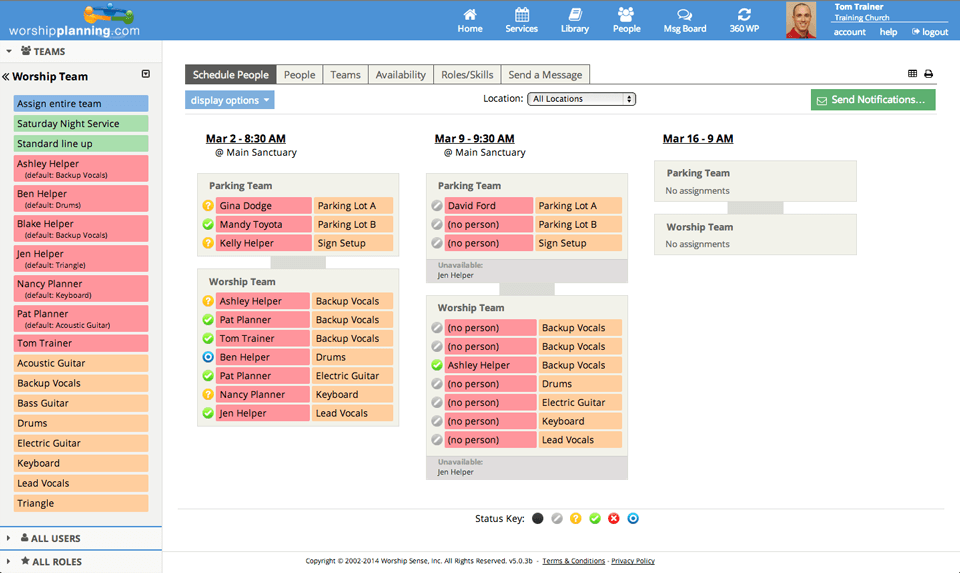
Schedule individuals one at a time or as entire teams—based on availability and qualifications—with a single drag-and-drop action. Once scheduled, volunteers are notified via email, text, or even Facebook to respond.

Songs Organizer
Take command of your songs! Our song organizer lets you build, search, filter, share, import, export, and report on your songs and their performance histories.
...more about Songs
- Include pertinent information (key, tempo, capo, lyrics...over 20 fields!)
- Import songs directly from your CCLI SongSelect™ account
- Attach files, making details accessible to team members
- Add songs on-the-fly while building a worship flow
- Import songs from a CSV file (including the date last performed)
- Link to Spotify, YouTube, and Amazon
- Easily transpose keys for MP3 and text chord charts
- View song performance histories by specified date ranges and locations

File Storage
Your account is a secure, central location to store and organize files related to songs, services, and teams. Access to those files is managed by the team leader, ensuring only authorized volunteers can access files to prepare for service.
...more about Files Storage
- UNLIMITED file storage (all plans)
- Built-in key transposer for MP3 files
- Audio “stream only” option prevents unwanted downloading and sharing
- Attach files to songs, events, teams, and more
- File Access Report shows downloaded files and file access activity (perhaps to see which musicians are actually practicing before rehearsal!)
- CCLI Rehearsal license works with WorshipPlanning’s Rehearsal License Report, showing required numbers to accurately fulfill reporting requirements

Mobile
Our mobile web app provides account access via most tablets and smartphones. This streamlined version performs as well as many native apps, and does not require an app download.
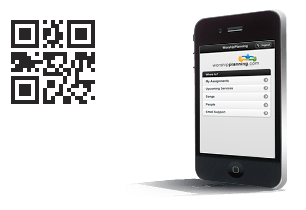
- Manage worship flow details
- "Like" worship flows
- Sign-up to serve
- Respond to assignments
- Block availability to serve
- Access service details
- Listen to attached or linked audio files
- Find contact info of fellow team members
Go to http://wplan.me or scan the QR Code above and sign in with your worshipplanning.com account.

Live Support
We offer a variety of support options to help both new users and masters of the software. If you wish to speak to a real person, give us a call. We are a pretty friendly bunch! Flip the card to see all your support options.
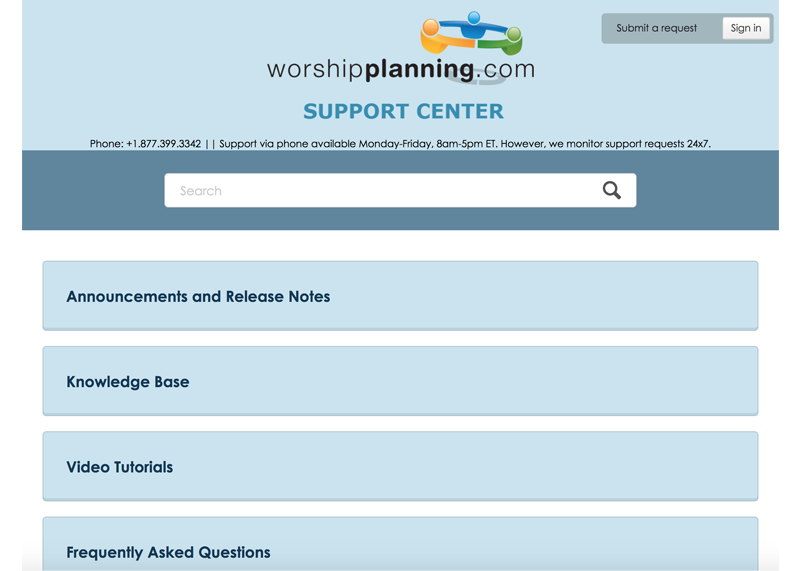
- Online Support Center including: video tutorials, Knowledge Base Search, and FAQ’s
- Phone, email and web form support
- Bi-Weekly webinars for users
- Continual site updates with new enhancements and features

Virtual Sheet Music
Replace the sheet music mess of paper and binders with OnSong for your iPad, iPhone, or iPod. By integrating your OnSong app with worshipplanning, you can import the song files you need in just a few seconds.

OnSong is the gold standard in virtual sheet music apps. Use it to transpose, annotate, rehearse, and perform your music. It even works with AirTurn wireless foot pedals to flip your vitual pages. Sounds magical? It is!

Presentation Options
It is easy to go from worship flow to slides with a couple options at your disposal. Our integration with Proclaim Church Presentation Software makes building your presentation a snap. Or, if you use another program, slides can be centrally stored with each song in your library, then easily downloaded by your tech team to merge together.
Our integration with Proclaim makes building slides easier than ever. Proclaim will even recognize any song mapping you've set, and build your slides accordingly. Proclaim has created a brief demonstration of how easy it is.

Other Integrations
By integrating with other systems, you get functionality that is both deep and wide. Our list of systems with which worshipplanning integrates is constantly growing. And we always welcome new integration requests!
...more about Integrations
Here are a few of the systems that worshipplanning integrates. The level and type of integration varies, so connect with us if you have specific questions.
- SongSelect®
- Church Community Builder
- Faithlife Proclaim
- OnSong App
- LifeWay Worship
- Spotify
- YouTube
- Amazon
"I love using this site - what a valuable tool it is! And the integration with LifeWay Worship has been HUGE." - Lara A.
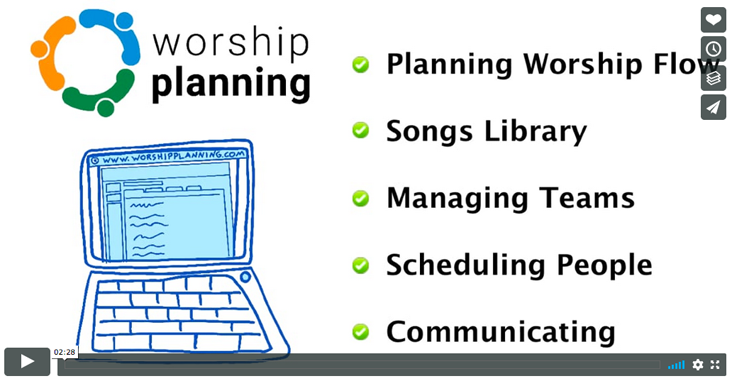
You've Read. Now Watch.
Take a look at worshipplanning.com in action
with this 2 minute tour.
Skip ahead with these bookmarks:
"This single spot where all of Sunday morning worship planning happens is a tool we wouldn't want to do without. Worship Leaders (volunteers) can enter their songs from home. The pastors can enter their sermon themes and scripture readings. The support volunteers can be easily scheduled... all in one space." - Judy vK.
Get the plan
to fit your church family!
Solo
$15 /mo
Billed annually
1 Planners info_outline
- UNLIMITED Helper Accounts info_outline
- UNLIMITED Teams
- UNLIMITED Services
- UNLIMITED File Storage
Deluxe
$25 /mo
Billed annually
5 Planners info_outline
- UNLIMITED Helper Accounts info_outline
- UNLIMITED Teams
- UNLIMITED Services
- UNLIMITED File Storage
Premium
$50 /mo
Billed annually
10 Planners info_outline
- UNLIMITED Helper Accounts info_outline
- UNLIMITED Teams
- UNLIMITED Services
- UNLIMITED File Storage
Ultimate
$100 /mo
Billed annually
1000 Planners info_outline
- UNLIMITED Helper Accounts info_outline
- UNLIMITED Teams
- UNLIMITED Services
- UNLIMITED File Storage
Solo
$15 /mo
Billed monthly
1 Planners info_outline
- UNLIMITED Helper Accounts info_outline
- UNLIMITED Teams
- UNLIMITED Services
- UNLIMITED File Storage
Deluxe
$25 /mo
Billed monthly
5 Planners info_outline
- UNLIMITED Helper Accounts info_outline
- UNLIMITED Teams
- UNLIMITED Services
- UNLIMITED File Storage
Premium
$50 /mo
Billed monthly
10 Planners info_outline
- UNLIMITED Helper Accounts info_outline
- UNLIMITED Teams
- UNLIMITED Services
- UNLIMITED File Storage
Ultimate
$100 /mo
Billed monthly
Unlimited Planners info_outline
- UNLIMITED Helper Accounts info_outline
- UNLIMITED Teams
- UNLIMITED Services
- UNLIMITED File Storage

Church Plant?
If you’re a church plant under a year old, we’d be honored to offer you free use of worshipplanning during your first year as a church.
“This is a great web app for planning music and adding notes for volunteers, paid musicians, and preachers.” - Derrada RA.
Let's Connect
Got a question? You can connect with us via online form, email, phone or by carrier pigeon! Click here or use the chat window in the lower right corner, and we'll be happy to help.

“I love that WorshipPlanning.com keeps a record of basically every detail of our services.” - Karlyn L.